Faceless YouTube Channels: A Practical Guide to Content Creation and Audience Development
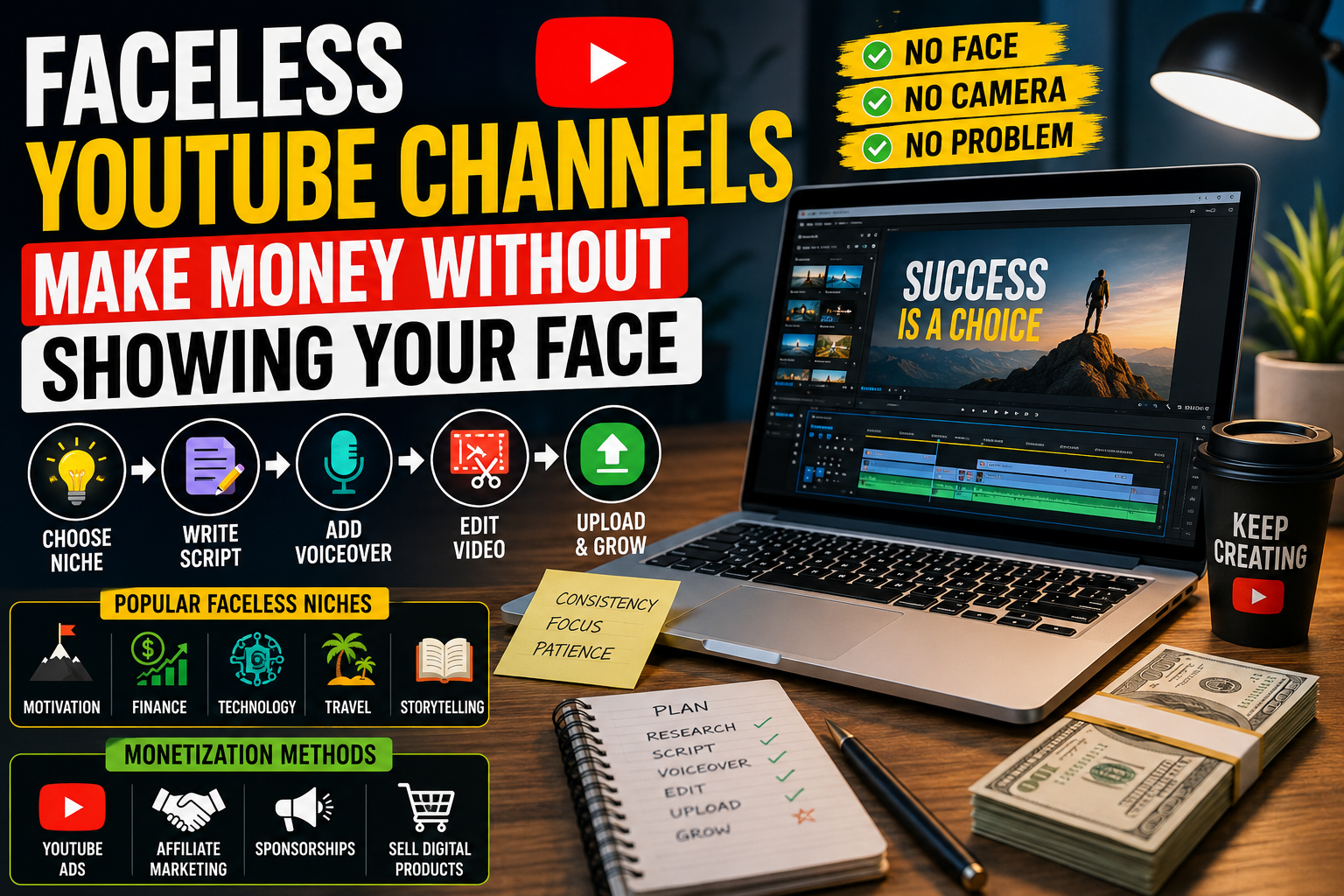
Faceless YouTube channels publish videos without requiring the creator to appear on camera. Instead, the videos may use screen recordings, original animations, narrated presentations, demonstrations, illustrations, or footage that the creator has permission to use.
This approach can suit people who prefer visual storytelling, research, teaching, or video editing over appearing in front of an audience. However, creating a faceless channel still requires planning, original ideas, production work, and an understanding of the intended viewers.
A channel does not become successful simply because its creator remains off-camera. Viewers still need a reason to watch, and videos must provide something useful, interesting, entertaining, or informative.
This guide explains how faceless YouTube channels work, how to choose a topic, how to create original videos, how to use AI tools responsibly, and how to evaluate a channel’s progress.
What Is a Faceless YouTube Channel?
A faceless YouTube channel is a channel where the creator does not routinely show their face in videos.
The creator may use voice narration, text, illustrations, screen recordings, animation, product demonstrations, or other visual formats to communicate with viewers.
For example, a channel teaching spreadsheet skills might record the screen while demonstrating how to organize data. A history channel might combine original narration with maps, diagrams, and appropriately licensed images.
The format depends on the subject and the needs of the audience.
Faceless content is not necessarily anonymous. Creators still need to protect their privacy, follow platform rules, respect other people’s rights, and provide accurate information.
Why Do Creators Choose the Faceless Format?
There are several reasons someone might prefer this approach.
Privacy
Some creators do not want their face or personal surroundings to appear in public videos.
Screen recordings, slides, and original graphics can help them explain a subject without revealing unnecessary personal information.
Focus on Teaching or Demonstration
Certain topics are easier to explain by showing a process.
For example, a programming tutorial may benefit more from a clear screen recording than from a talking-head presentation.
Different Production Options
Creators can choose among narration, animation, diagrams, screen recordings, and other suitable formats.
The right option depends on the subject, available resources, and production skills.
Opportunities to Develop Skills
Creating videos can help people practise writing, research, storytelling, graphic design, audio editing, video editing, and audience analysis.
These skills can also be useful in education, communication, and other digital projects.
However, a faceless format does not automatically reduce production time or guarantee audience growth.
Step 1: Choose a Clear Channel Topic
A channel needs a subject that viewers can understand.
Rather than covering every possible topic, begin with a defined audience and a consistent purpose.
Potential topics include:
- Software and technology tutorials.
- Educational explainers.
- Study and productivity methods.
- Original animation and storytelling.
- Data visualization.
- Craft and design demonstrations.
- Book or concept discussions using original analysis.
- Digital skills and beginner-friendly tutorials.
These are examples, not guarantees of demand or profitability.
Identify Your Intended Viewer
Ask yourself:
- Who is likely to benefit from this channel?
- What questions does that audience have?
- What could viewers learn or experience from each video?
- Can I research the topic accurately?
- Can I produce original videos consistently?
- What would make my approach useful or distinctive?
For example, a general technology channel could be difficult to distinguish from thousands of others. A channel that explains basic spreadsheet tasks for small-business beginners has a more specific purpose.
A focused topic makes it easier to plan related videos and understand which audience you are serving.
Step 2: Research Video Ideas
Research helps you identify questions worth answering.
Start with the questions people ask about your chosen subject. Look at comments on relevant videos, discussion forums, search suggestions, product documentation, and other appropriate sources.
Use research to identify problems, not to copy another creator’s work.
For each potential video, write down:
- The question it answers.
- The intended audience.
- The main information viewers need.
- The original example or demonstration you can provide.
- The sources required to verify the information.
- The most suitable video format.
Example Video Plan
Suppose your channel teaches beginners how to use spreadsheets.
One video could explain how to calculate totals using a basic formula.
A useful outline might include:
- Explain the problem.
- Show a small sample spreadsheet.
- Demonstrate the formula.
- Explain common mistakes.
- Give viewers a short practice exercise.
- Summarize what they have learned.
This plan gives the video a clear purpose and makes it easier to produce.
Step 3: Choose the Right Video Format
Different subjects require different approaches.
Screen Recordings
Screen recordings work well for software tutorials, demonstrations, and step-by-step instructions.
Keep the screen organized, zoom in on important details, and explain what viewers should notice.
Before recording, close unnecessary windows and remove private information from the screen.
Voice-Narrated Presentations
Narrated presentations can explain concepts using slides, diagrams, and illustrations.
Use your own script and ensure that the visuals support the explanation.
Avoid filling slides with long paragraphs that viewers cannot comfortably read.
Original Animation
Animation can help explain processes, relationships, and abstract concepts.
Simple diagrams may be sufficient for many educational subjects. You do not necessarily need complex animation to communicate an idea clearly.
Demonstrations
A demonstration shows a process, object, or task in action.
Depending on the subject, this could involve a craft project, a software workflow, or a practical example using materials you have permission to show.
Narrated Visual Essays
A visual essay combines original commentary with suitable visual material to explain a topic.
Research carefully, distinguish established facts from interpretation, and use images, clips, or documents only when you have the necessary rights or a valid legal basis for using them.
Step 4: Write an Effective Video Script
A script helps organize information and avoid unnecessary repetition.
A practical structure for an educational video is:
Opening
Introduce the question or problem the video will address.
Give viewers a clear reason to continue watching without making exaggerated promises.
Explanation
Explain the central idea using simple language.
Introduce technical terms when necessary and define them clearly.
Demonstration or Example
Show how the information works in practice.
A worked example can make a complicated concept easier to understand.
Common Mistakes
Explain likely errors, limitations, or misunderstandings.
This section can make an educational video more useful than a simple list of facts.
Summary
Review the main points and suggest a relevant next step, such as practising the demonstrated skill or watching another related tutorial.
Not every video needs the same structure. Adapt the script to the topic and intended audience.
Step 5: Create Original Visuals and Audio
Visuals and audio influence how easily viewers can follow a video.
Visual Quality
Use readable text, appropriate contrast, and visuals that support the narration.
Avoid unnecessary effects that distract from the explanation.
For software tutorials, ensure that important interface elements are visible. For educational videos, diagrams should accurately represent the information being explained.
Audio Quality
Narration should be understandable and recorded in a suitable environment.
You do not necessarily need expensive equipment. A quiet room, careful microphone placement, and basic audio editing may be sufficient for an initial project.
If you use synthetic narration, check that the wording, pronunciation, and pacing are appropriate.
Editing
Remove unnecessary pauses, repeated explanations, and irrelevant material.
Use transitions and background music only when they support the video. Music should be appropriately licensed, and the volume should not interfere with narration.
Accessibility
Where practical, provide accurate captions and make on-screen text readable.
Explain important visual information through narration when viewers might otherwise miss it.
Step 6: Use AI Tools Responsibly
AI tools can assist with planning and production, but they should not replace research, judgment, or original contribution.
Potential uses include:
- Brainstorming possible topics.
- Organizing a script outline.
- Checking grammar and clarity.
- Creating draft storyboards.
- Helping generate ideas for original diagrams.
- Assisting with captions and transcripts.
- Organizing research notes.
However, AI-generated material can contain errors, unsupported claims, or misleading information.
Verify important facts against reliable sources. Review every script before recording and make sure the final video reflects your own editorial decisions.
Do not invent quotations, research findings, personal experiences, or product tests.
Add Value Beyond Automated Output
A useful video should offer something viewers can learn from.
That might be a carefully explained example, an original demonstration, a thoughtful comparison, or an explanation of common mistakes.
Simply combining generic narration with unrelated stock footage may provide little value if the video does not meaningfully address the topic.
If AI generates images, voices, or other material, check the relevant platform requirements and any disclosure rules that apply to the content.
Step 7: Respect Copyright and YouTube Policies
Copyright is an important consideration for faceless channels because creators often use visual and audio materials from different sources.
Do not assume that an image, music track, film clip, or social media video is free to reuse simply because it is publicly available online.
Use Material You Have Rights to Use
Suitable options may include:
- Visuals you create yourself.
- Material you have licensed.
- Assets offered under a license that permits your intended use.
- Public-domain material, after checking its status.
- Other material you are legally entitled to use.
Keep records of relevant licenses and permissions.
Understand the Limits of Fair Use and Similar Exceptions
Copyright exceptions differ between jurisdictions. In the United States, fair use depends on the circumstances and is not a blanket permission to reuse copyrighted material.
Adding a short introduction or background narration does not automatically make another person’s video lawful to reuse.
If you plan to include third-party material, investigate the applicable rules and obtain permission when necessary.
Understand Monetization Requirements
Following copyright rules and meeting YouTube’s monetization requirements are separate issues.
A video may avoid a copyright complaint and still fail to meet monetization requirements if it offers insufficient original value or relies heavily on repetitive, mass-produced content.
Review YouTube’s current policies on monetization, reused content, and altered or synthetic content before building your production process around those formats.
Step 8: Publish Videos With Clear Titles and Descriptions
Publishing involves more than uploading a video.
Write Accurate Titles
A title should explain what the viewer will learn or see.
Avoid misleading claims that promise results the video cannot deliver.
Create Useful Thumbnails
A thumbnail should make the subject clear and accurately represent the video.
Use readable text where appropriate and avoid imagery that creates a false impression of what the video contains.
Write Helpful Descriptions
Explain the video’s subject and provide useful context.
For educational content, this may include relevant terminology, sources, chapter information, or links to related resources.
Do not fill the description with unrelated keywords.
Organize Related Videos
Playlists can help viewers find related content.
For example, a spreadsheet tutorial channel might organize its videos into beginner formulas, data organization, and charts.
A clear structure can make the channel easier to navigate.
Step 9: Understand YouTube Analytics
Analytics help you investigate how viewers interact with your videos.
The available metrics and their definitions can change, so use YouTube Studio’s current explanations when interpreting reports.
Impressions and Click-Through Rate
Impressions describe certain instances when YouTube displays a video thumbnail to viewers. Click-through rate measures how often viewers watch after counted thumbnail impressions.
A low click-through rate may suggest that the title, thumbnail, audience, or topic needs investigation. It does not identify the cause by itself.
Views
Views help indicate how often a video is watched under YouTube’s counting rules.
View counts alone do not show whether viewers understood the content or found it useful.
Audience Retention
Audience-retention information can help you see where viewers continue watching or leave a video.
If many viewers leave at a particular point, review whether the introduction is too long, the explanation is unclear, or the video takes too long to reach its main point.
Do not assume that every drop has the same explanation.
Traffic Sources
Traffic-source reports can help you understand how viewers discover videos.
Depending on the report, viewers may arrive through search, suggested videos, browse features, external websites, or other sources.
Use this information to identify which discovery methods are relevant to your channel.
Returning Viewers
Returning-viewer information can help you understand whether people come back to watch more of your content.
A consistent topic and useful series of videos may give viewers a reason to return, although returning behavior is not guaranteed.
A Practical Example: A Faceless Software Tutorial Channel
Imagine that a creator wants to build a channel teaching basic spreadsheet skills.
The creator chooses beginners as the intended audience and identifies common questions about formulas, sorting, charts, and organizing information.
For the first video, the creator plans a tutorial showing how to calculate a total in a sample spreadsheet.
The production process is straightforward:
- Research the formula and verify how it works.
- Create a sample spreadsheet using fictional data.
- Write a script that explains each step.
- Record the screen while demonstrating the process.
- Add clear narration and captions.
- Edit unnecessary pauses and mistakes.
- Publish an accurate title, description, and thumbnail.
- Review audience-retention and engagement information after publication.
The creator can use viewer questions to identify future tutorials.
This example demonstrates a repeatable workflow. It does not predict how many views the channel will receive or whether it will earn money.
A Four-Week Plan for Starting a Faceless Channel
Week 1: Select a Topic and Audience
Choose a subject you can research accurately and explain clearly.
Identify common questions and select three to five potential video ideas.
Outcome: A defined channel focus and an initial content list.
Week 2: Prepare the First Video
Research one topic, write a script, and create the necessary visuals.
Check that the material is accurate and that you have permission to use the assets.
Outcome: A complete video draft.
Week 3: Edit and Publish
Review narration, visuals, captions, title, thumbnail, and description.
Check the finished video for errors before publishing it.
Outcome: A published video with a clear purpose.
Week 4: Review and Improve
Examine the available analytics and feedback.
Identify one or two specific improvements for the next video, such as clearer narration, a more direct introduction, or a better demonstration.
Outcome: A practical improvement plan for future videos.
This schedule is a learning framework, not a promise of channel growth or income. You can adjust it to fit your available time and resources.
Common Faceless YouTube Mistakes
Copying Other Creators
Reproducing another creator’s scripts, editing, or distinctive presentation does not provide a strong basis for an original channel.
Research successful formats to understand audience needs, then develop your own explanations, examples, and visual approach.
Publishing Repetitive Videos
Producing many videos with nearly identical scripts and minimal original value can make a channel less useful to viewers and may create monetization problems.
Prioritize meaningful differences in the questions answered and the value provided.
Using Unlicensed Music and Images
A short clip or image is not automatically free to reuse.
Check the applicable license and obtain permission when required.
Relying on AI Without Fact-Checking
AI tools can make mistakes or produce outdated information.
Review important claims, confirm sources, and correct errors before publication.
Ignoring Audio and Readability
Viewers may struggle to follow a video if the narration is unclear or the on-screen text is difficult to read.
Check the final video on different devices and adjust the presentation where needed.
Focusing Only on Views
A high view count does not necessarily indicate that a video meets its intended purpose.
Consider whether viewers receive the information promised by the title and whether the content answers the intended question.
Expecting Guaranteed Income
Channel revenue depends on factors such as audience demand, watch behavior, monetization eligibility, advertiser demand, content suitability, and other platform rules.
Do not treat projected income figures as guarantees.
Frequently Asked Questions
What is a faceless YouTube channel?
It is a channel where the creator does not routinely appear on camera. Videos may use narration, screen recordings, animation, illustrations, demonstrations, or other suitable visual formats.
Do I need expensive equipment?
Not necessarily. Depending on the subject, you may be able to start with a computer or phone, suitable recording tools, a quiet environment, and accessible editing software.
Choose tools that meet your needs instead of buying equipment before you understand your production requirements.
Can I use AI to create faceless videos?
AI can help with planning, editing, captions, and other production tasks. You remain responsible for accuracy, originality, copyright compliance, and meeting YouTube’s current policies.
Can faceless videos be monetized?
Some faceless channels may qualify for monetization if they meet the applicable eligibility requirements and content policies. Remaining off-camera does not automatically qualify or disqualify a channel.
Check YouTube’s current requirements before making business decisions based on expected revenue.
Do I need to upload every day?
There is no universal upload schedule that guarantees success. Choose a schedule that allows you to research, produce, review, and publish useful videos consistently.
How can I make my channel different?
Choose a defined audience, answer specific questions, use original examples, and explain topics clearly. Your distinctive value may come from your research, teaching style, demonstrations, visual explanations, or depth of coverage.
Conclusion
Faceless YouTube channels provide an alternative way to create videos without routinely appearing on camera. The format can support tutorials, educational explanations, demonstrations, and other forms of original content.
However, the absence of a visible presenter does not remove the need for planning, research, production quality, copyright awareness, and audience understanding.
Start with a specific topic, create one useful video, review the results, and improve the next video based on evidence. Use AI as an assistant rather than a substitute for original work, and verify the platform’s current rules before relying on monetization.
A sustainable channel is built by consistently giving viewers a reason to watch, learn, or return.