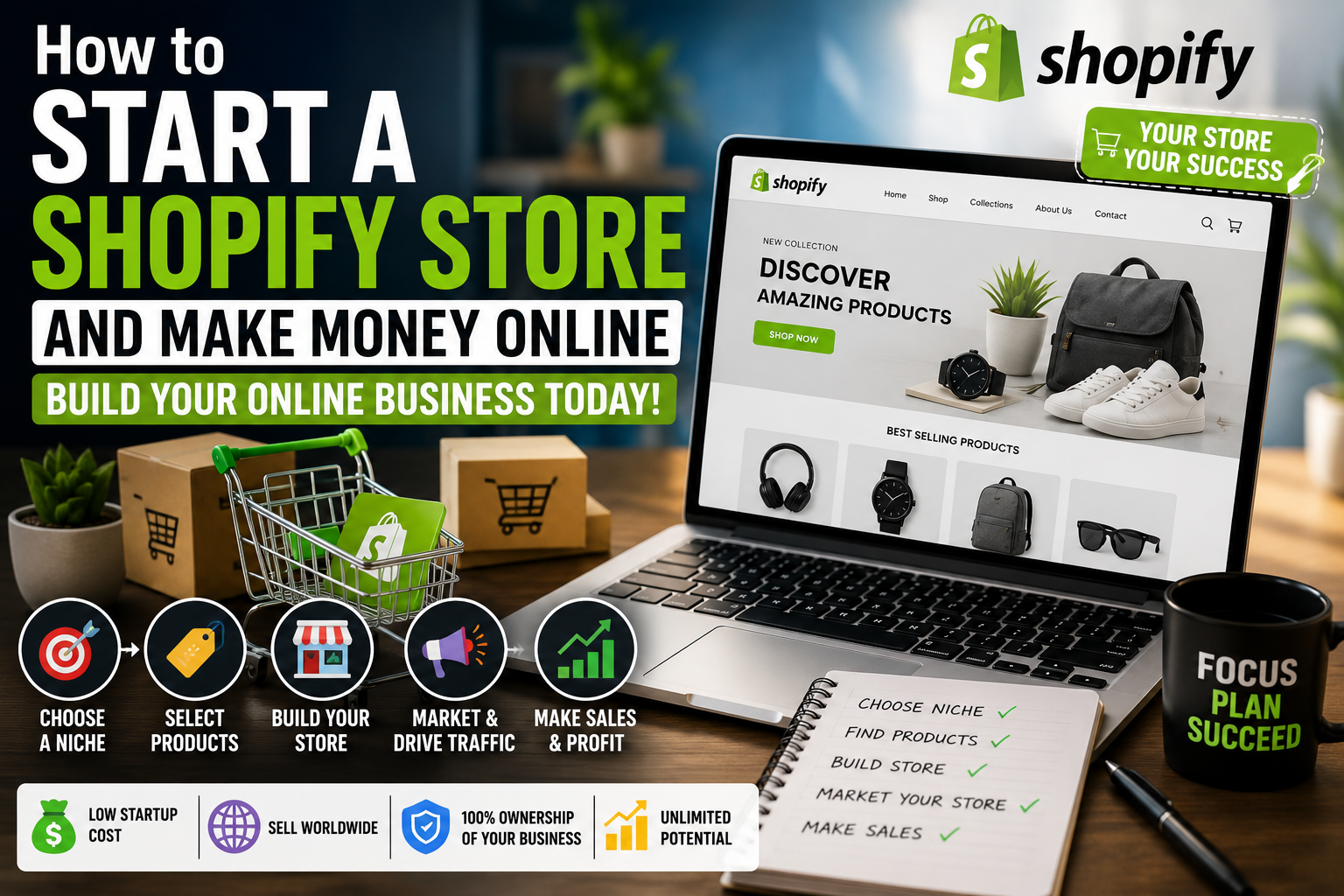
Shopify Store Guide for Beginners: How to Build an Online Store
Building an online store involves more than adding products to a website. You need to understand your customers, choose suitable products, calculate costs, create clear product pages, configure payments and delivery, and establish a process for handling customer questions and orders.
Shopify is an e-commerce platform that helps businesses create and manage online stores. Depending on the plan, available integrations, and business requirements, users can manage product listings, orders, payments, storefront design, and other aspects of selling online.
However, using an e-commerce platform does not guarantee sales or profit. A store still needs a suitable product, a clear offer, reliable operations, and a way to reach potential customers.
This guide explains how to plan a Shopify store, prepare product listings, understand important costs, improve the customer experience, and evaluate store performance.
What Is Shopify?
Shopify is an e-commerce platform that enables businesses to build online storefronts and manage many parts of the selling process.
A store owner can use the platform to organize products, customize the storefront, manage orders, and connect supported payment and business tools.
The exact features available depend on the subscription plan, location, configuration, and third-party services being used.
Shopify is a platform, not a complete business strategy. Store owners must still decide what to sell, who the intended customers are, how to price products, how to handle fulfillment, and how to promote the business.
Before committing to a paid plan, review the platform’s current pricing, available features, regional support, and relevant terms.
Step 1: Decide What Your Store Will Sell
Start by defining the product category and intended audience.
Possible store types include:
- Physical products.
- Digital products where permitted by the platform and applicable rules.
- Print-on-demand products.
- Products manufactured or sourced by your business.
- Products sold through suitable supplier or fulfillment arrangements.
Each model has different responsibilities.
A physical-product store may need inventory, storage, packaging, and shipping. A print-on-demand store may outsource production but still needs to manage product selection, marketing, and customer service. Digital products have different delivery, licensing, and support considerations.
Research Your Intended Customers
Ask yourself:
- Who is the product for?
- What need or preference does it address?
- What alternatives are already available?
- Why might someone choose this product?
- What would make the product difficult or expensive to deliver?
- Can the selling price cover the relevant costs?
Research existing products and customer questions. Look for gaps in product information, customer service, product selection, or presentation that your store could address.
Avoid choosing a product solely because a social media post describes it as a trending opportunity. Trends do not guarantee demand, and popular categories can have significant competition.
Step 2: Choose a Store Name and Prepare Your Brand
Your store name should be understandable, appropriate for the products, and reasonably easy for customers to remember.
Before committing to a name, check its availability and investigate possible conflicts with existing businesses and trademarks. Availability of a domain name does not automatically mean that a name is legally available for use.
Prepare a simple visual identity that includes:
- A readable logo.
- A consistent set of colors.
- Clear typography.
- Product images that fit the brand.
- A consistent tone of voice.
You do not need an elaborate brand identity before testing a business idea. A clear and consistent presentation is a practical starting point.
Avoid copying another company’s logo, product photographs, design, or brand identity.
Step 3: Set Up Your Shopify Store
After researching the platform and choosing a suitable plan, configure the basic store settings.
The precise steps may change as Shopify updates its interface, but the main tasks generally include the following.
Enter Your Business Information
Add the information required to configure the store, including the store name and relevant business details.
Use accurate information and review any verification requirements that apply to your location and business model.
Choose a Theme
A theme determines much of the storefront’s appearance and layout.
When selecting a theme, consider:
- Mobile usability.
- Readable product pages.
- Navigation.
- Page loading performance.
- Product image presentation.
- Accessibility.
- Available customization options.
A simple theme with clear navigation can be more effective than a complicated design that makes products difficult to find.
Preview your store on both desktop and mobile devices.
Organize Your Navigation
Make it easy for visitors to find the products and information they need.
Depending on your business, the main navigation may include:
- Home.
- Shop or product collections.
- About.
- Contact.
- Frequently asked questions.
- Shipping and returns.
- Privacy policy and other relevant policies.
Use clear labels and avoid adding unnecessary menu items.
Connect a Domain
A custom domain can help customers identify your store and distinguish it from a temporary project address.
Before purchasing a domain, check spelling, availability, renewal pricing, and potential conflicts with existing brands.
Configure the domain correctly and confirm that the store loads securely.
Step 4: Add Products and Create Useful Product Pages
Product pages help customers understand what they are buying.
A strong product page provides accurate information and answers likely questions before the customer reaches checkout.
Write a Clear Product Title
Use a title that describes the product and its important characteristics.
Avoid adding unrelated keywords or making the title so long that the product becomes difficult to understand.
Use Accurate Product Images
Images should clearly represent the actual product.
Where relevant, include different angles, details, size comparisons, or photographs showing the product in use.
If you use mockups or supplier-provided images, ensure that you have permission to use them and that they accurately represent what customers will receive.
Explain Product Features and Benefits
A useful description should answer questions such as:
- What is the product?
- What materials or components does it use?
- What sizes, colors, or options are available?
- What is included in the purchase?
- How should the product be used or maintained?
- Are there important limitations?
Explain benefits using facts you can support. Avoid unsupported claims about quality, durability, health, environmental impact, or performance.
Display Pricing Clearly
Show the price and explain any relevant additional charges.
If shipping, taxes, customization, or other costs may apply, make the information clear before checkout.
Unexpected charges can create confusion and discourage customers from completing an order.
Provide Delivery Information
Explain the expected processing and delivery arrangements.
For physical products, distinguish between preparation time and shipping time. If delivery estimates vary by destination, explain that where appropriate.
Do not promise delivery dates that you cannot reasonably support.
Step 5: Configure Payments, Shipping, and Taxes
A store must be able to handle payments and deliver orders according to the promises made to customers.
The available options depend on the seller’s country, customer locations, product type, and Shopify’s current supported services.
Payment Methods
Review the payment providers available to your business and intended customers.
Before selecting a provider, investigate:
- Supported countries.
- Accepted currencies.
- Transaction fees.
- Payout schedules.
- Verification requirements.
- Refund procedures.
- Dispute and chargeback processes.
Do not assume that every payment method is available in every country.
Complete the required setup and verification before relying on a payment option.
Shipping and Fulfillment
Decide how orders will reach customers.
Possible arrangements include fulfilling orders yourself, working with a fulfillment company, or using a suitable supplier or print-on-demand provider.
Calculate shipping costs for the destinations you intend to serve. Check packaging requirements, delivery estimates, tracking options, and procedures for delayed or damaged orders.
Your delivery policy should match what you can actually provide.
Taxes and Business Requirements
Tax and registration obligations depend on the jurisdictions where your business operates and where it sells.
Research the requirements that apply to your situation and seek qualified professional advice when necessary.
Do not assume that the platform automatically handles every tax, registration, or legal obligation for your business.
Step 6: Calculate the Cost of Running Your Store
A store’s revenue is not the same as its profit.
Before choosing a product price, identify the costs associated with selling and delivering each order.
These may include:
- Product or manufacturing costs.
- Packaging.
- Shipping paid by the seller.
- Payment processing fees.
- Platform-related fees.
- Paid applications.
- Advertising.
- Refunds and replacements.
- Currency conversion.
- Applicable taxes and other business expenses.
Some expenses are variable, meaning they change with the number or value of orders. Others are fixed or recurring, such as certain subscription fees.
A Hypothetical Pricing Example
Suppose an online store sells a product for $30.
For illustration, assume the following costs apply to one order:
| Item | Hypothetical amount |
|---|---|
| Selling price | $30.00 |
| Product cost | $12.00 |
| Seller-paid shipping | $4.00 |
| Payment and selling fees | $2.00 |
| Marketing cost allocated to the order | $5.00 |
| Other variable costs | $1.00 |
| Estimated amount remaining | $6.00 |
The calculation is:
$30 − $12 − $4 − $2 − $5 − $1 = $6.
The $6 is the estimated amount remaining after the listed costs. It is not necessarily final net profit because fixed expenses and other unlisted costs may still apply.
These figures are hypothetical and are not typical or guaranteed Shopify costs. Actual fees and expenses vary by provider, country, plan, product, and business arrangement.
Use your own figures to assess whether a product is financially viable before spending heavily on promotion.
Step 7: Prepare Your Store for Customers
Before promoting the store, check whether a new visitor can understand the business and complete an order without unnecessary confusion.
About Page
Explain what the business sells, whom it serves, and why the store exists.
Keep the information accurate. Do not invent a company history, customer base, or manufacturing process.
Contact Information
Provide an appropriate way for customers to ask questions about products, orders, or returns.
Explain when customers can reasonably expect a response if you publish response-time information.
Shipping and Returns
Publish clear policies that match your actual operations and applicable legal requirements.
Explain delivery estimates, eligible returns, refund procedures, and how customers can report damaged or incorrect items.
Privacy and Terms
Provide the policies required for your business and the services you use.
Review the way your store collects and processes customer information, including any analytics, advertising, payment, or email services connected to it.
Test the Customer Journey
Review the store as if you were a first-time customer.
Check whether visitors can:
- Find a product.
- Understand its features and price.
- Choose the correct options.
- See relevant delivery information.
- Complete checkout using a supported payment method.
- Understand what happens after placing an order.
Test the process using the platform’s appropriate testing options where available.
Step 8: Market Your Shopify Store
A store needs a way to reach potential customers.
The best approach depends on your product, audience, budget, and skills.
Search-Friendly Website Content
Publish useful articles or guides related to your products.
For example, a store selling art supplies could publish a guide explaining how beginners can choose suitable materials.
Content should answer genuine questions rather than repeat keywords without adding information.
Social Media
Use relevant social platforms to demonstrate products, answer questions, and explain how products work.
Short videos, demonstrations, comparison posts, and useful educational content may help people understand your offer.
Choose platforms that make sense for your audience rather than attempting to maintain every social account.
Email Communication
If you collect email addresses, explain how they will be used and obtain consent where required.
Send relevant messages and provide an appropriate way for recipients to manage or stop marketing communications.
Paid Advertising
Paid advertising can introduce products to potential customers, but it also creates expenses.
Before launching a campaign, define what you want to measure and set a budget you can afford to lose.
Track spending alongside completed orders, returns, and other relevant costs. A campaign that produces many visits may still be financially unsuccessful.
Step 9: Understand Store Performance
Use available analytics and store reports to identify possible problems.
The most useful metrics depend on your business model, but common examples include the following.
Store Visits
Visits can help you understand how much traffic reaches the store.
However, traffic alone does not establish whether visitors are interested in the products or likely to purchase them.
Product Page Engagement
Review whether visitors view product details and explore relevant pages.
If people leave quickly, investigate whether the page loads correctly, answers their questions, and matches the information in the advertisement or link that brought them there.
Add-to-Cart Activity
Add-to-cart activity can indicate that visitors are considering a product.
If many visitors add products but few complete checkout, review shipping costs, delivery estimates, payment options, and other possible barriers.
Completed Orders
Completed orders show that a purchase occurred, but you should also review cancellations, refunds, and the costs associated with fulfilling those orders.
Average Order Value
Average order value is generally calculated by dividing sales revenue by the number of orders for the same reporting period, using a consistent revenue definition.
It can help you understand purchasing patterns, but increasing the average order value is not automatically beneficial if it also increases costs or discourages purchases.
Customer Feedback
Customer questions, complaints, reviews, and returns can reveal product or service issues that analytics alone may not explain.
Review feedback for recurring patterns and use it to guide practical improvements.
What to Do When Your Shopify Store Gets Few Sales
A store with limited sales needs investigation rather than automatic spending on more advertising.
Consider the following diagnostic process.
Situation 1: Very Few Visitors
If the store receives little traffic, investigate how customers are expected to discover it.
Review your marketing channels, search visibility, audience relevance, and whether your content answers questions that potential customers actually ask.
Situation 2: Visitors Arrive but Do Not Explore Products
Check whether the homepage clearly explains what you sell.
Review the navigation, product categories, page speed, images, and the connection between your marketing message and the products displayed.
Situation 3: Product Pages Receive Visits but Few Add-to-Cart Actions
Review product relevance, pricing, descriptions, images, product options, and trust information.
Ask whether the listing answers the customer’s likely questions and explains why the product may be appropriate for them.
Situation 4: Customers Add Products but Do Not Complete Checkout
Investigate shipping charges, delivery estimates, payment availability, checkout usability, and unexpected costs.
Do not assume that every abandoned checkout has the same cause.
Situation 5: Orders Arrive but Little Money Remains
Recalculate the full cost of fulfilling each order.
Review product costs, fees, shipping, advertising, refunds, and recurring expenses. Determine whether the issue comes from pricing, costs, or a combination of factors before changing the business model.
Common Shopify Store Mistakes
Launching Without Research
Choosing products without understanding the audience can lead to unclear positioning and weak demand.
Research the intended customer and the alternatives already available.
Using Generic Product Descriptions
Descriptions copied from suppliers may fail to answer the specific questions your customers have.
Write original, accurate descriptions and organize them around the information buyers need.
Ignoring Mobile Visitors
Customers may browse and purchase using mobile devices.
Check product pages, navigation, images, and checkout on a range of screen sizes.
Adding Too Many Applications
Additional applications may introduce costs, affect performance, or complicate the store.
Install tools because they solve a defined problem, and review whether they remain necessary.
Overlooking Customer Service
A store needs a process for handling questions, shipping problems, returns, and complaints.
Make sure customers know how to contact you and what to expect when an issue arises.
Treating Revenue as Profit
A store can generate sales and still lose money.
Track the relevant costs and review financial results regularly.
Making Unsupported Claims
Avoid misleading descriptions, false reviews, exaggerated product benefits, and unrealistic delivery promises.
Accurate information helps customers make informed decisions and reduces avoidable misunderstandings.
A Four-Week Plan for Preparing a Shopify Store
This plan provides a structured way to work through the basic decisions before expanding the business.
Week 1: Research the Product and Audience
Define the intended customer and research the product category.
Compare available products, identify likely costs, and write down what would distinguish your offer.
Outcome: A defined audience and a preliminary business concept.
Week 2: Plan the Store
Choose an appropriate store structure, review available themes, organize the navigation, and prepare product information.
Research the platform’s current pricing and the payment, shipping, and legal requirements relevant to your business.
Outcome: A store plan and an initial cost estimate.
Week 3: Build and Test
Configure the storefront, add a small initial product collection, prepare policies, and test the customer journey.
Check that the descriptions, prices, delivery information, and checkout options are accurate.
Outcome: A functioning store ready for a careful review.
Week 4: Launch Carefully and Evaluate
Introduce the store through suitable channels.
Review visitor behavior, product questions, orders, customer feedback, and costs where data is available.
Use the results to identify what needs improvement before committing to additional expenses.
Outcome: A list of observed issues and practical next steps.
This is a learning and testing framework, not a guarantee of sales or profit. The pace of progress depends on your resources, product, and business requirements.
Frequently Asked Questions
Is Shopify suitable for beginners?
Shopify can help beginners organize an online store, but users still need to understand product selection, pricing, customer service, marketing, and fulfillment. Review the current plans and requirements before deciding whether it suits your needs.
How much does it cost to start a Shopify store?
The total cost depends on the current subscription, domain, products, apps, marketing, payment fees, and fulfillment arrangements. Some businesses have additional registration, tax, or operational expenses. Check current prices and calculate the costs that apply to your situation.
Do I need to hold inventory?
Not necessarily. Some businesses hold their own inventory, while others use print-on-demand or suitable fulfillment arrangements. Each model has different costs, delivery considerations, and responsibilities.
Can a Shopify store guarantee sales?
No. A store provides tools for selling, but it does not guarantee customer demand or profit. Results depend on factors such as product relevance, pricing, marketing, competition, and customer experience.
Can I sell internationally?
International selling depends on your products, payment options, shipping arrangements, target markets, and applicable legal and tax requirements. Research these factors before promising international delivery.
What should I do if my store is not selling?
Start by examining traffic, product-page engagement, add-to-cart activity, checkout completion, and order profitability. Investigate the likely problem before making changes or increasing advertising spending.
Conclusion
Shopify provides tools for creating and managing an online store, but a sustainable business requires more than a functioning website.
Research your audience, choose products carefully, calculate the full costs, write accurate product descriptions, and make the customer journey straightforward. Test the store before launch and use real customer feedback and performance data to guide improvements.
Begin with a manageable product range and expand only when you understand what your customers need and what your business can deliver.
The goal is not simply to launch a store. It is to build a useful, reliable shopping experience supported by realistic planning and responsible business decisions.